Component Adapter
The component adapter allows to write components that act as data sources or sinks.
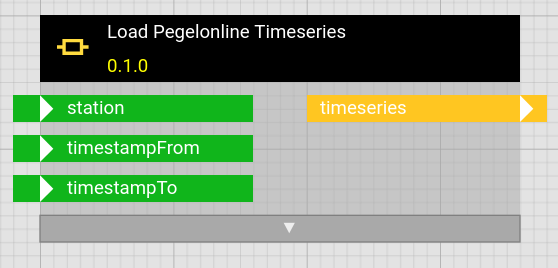
This enables the addition of data sources / sinks during running operation of hetida designer without the need to write and deploy a new adapter. At the same time it keeps the decoupling and reproducibility provided by the hd adapter system in contrast to running such a data in/egestion component as an operator in a workflow.
The component inputs become (free text) filters and the component code may interact with external systems to obtain or send data. Hence the component adapter is the most versatile way of adding access to custom sources or sinks.
Advantages:
- on-the-fly / ad-hoc: I.e. compared to "true" separate adapters, there is no deployment step necessary for adding additional data sources/sinks
- Versus accessing external data directly in a workflow (e.g. by using such a component as operator):
- Keep the decoupling between analytics / Data Science and Data Engineering tasks.
- Reproducibility
Disadvantages:
- no business/use case specific hierarchical structure. May lead to reduced discoverability
- note: can be partially alleviated by the virtual structure adapter.
- efficiency: Ordinary adapters may handle all wirings to sources/sinks of the same adapter together in one invocation. Component adapter sources/sinks are handled sequentially and separately.
- security vs separate (generic rest) adapters: Typically accessing external systems requires credentials. Such credentials must be available in the runtime service for the component adapter.
Configuration
Basic Configuration
Configuration can be set via an env file which must be configured via the HD_COMPONENT_ADAPTER_ENVIRONMENT_FILE environment variable.
Additionally environment variables can be set directly (overriding possible settings from an env file).
Note that some configuration options have to be set for the hetida designer backend service, where the component adapter's webservice runs. Others have to be set for the hetida designer runtime service where the adapter data fetching/sending is actually invoked during execution.
Adapter Activation
COMPONENT_ADAPTER_ACTIVE (default true) determines whether the adapter is active. In particular that activates its webservice as part of the hetida designer backend.
Adapter Registration
The adapter must be correctly registered according to adapter registration. Its adapter key is component-adapter. Note again that its external url has to point to the hetida designer backend service in order to reach its webservice. Its internal url is not used.
Example of its part if HETIDA_DESIGNER_ADAPTERS:
component-adapter|Component Adapter|http://localhost:8080/adapters/component|http://localhost:8080/adapters/component
Configuration options
COMPONENT_ADAPTER_ALLOW_DRAFT_COMPONENTS(default:false): Whether components in Draft state are allowed to be used as component sources/sinks. Released Components can always be selected and deprecated/disabled components can still be used in wirings but can not be selected in the hetida designer user interface.COMPONENT_ADAPTER_ALLOWED_SOURCE_CATEGORIES(default:null): A (json) array of allowed categories for components that can act as sources. The defaultnulldoes not impose any restrictions.COMPONENT_ADAPTER_ALLOWED_SINK_CATEGORIES(default:null): A (json) array of allowed categories for components that can act as sinks. The defaultnulldoes not impose any restrictions.
Usage
Source Components
A source component revision must
- have a permitted state (RELEASED and possibly DRAFT if COMPONENT_ADAPTER_ALLOW_DRAFT_COMPONENTS is true) to occur in the wiring dialog and in the adapter web endpoint for sources
- have an allowed category (see COMPONENT_ADAPTER_ALLOWED_SOURCE_CATEGORIES config)
- have exactly one output. This output's type determines the type of the source.
- have inputs
timestampToandtimestampFromif its type is of one of the types requiring these filters (e.g. MULTITSFRAME, SINGLETSFRAME, SERIES)
It can have additional inputs which are then handled as free text filters. Optional inputs are allowed and lead to default values for filters. Furthermore entering the string null for free text filters from such optional inputs will lead to a None value when the source component is executed.
Source component example
A component that generates random timeseries data with several inputs that are then available as filter:
# add your own imports here, e.g.
import datetime
from copy import deepcopy

import numpy as np
import pandas as pd

from hetdesrun.dt_utils import resolve_interval

# %%
# ***** DO NOT EDIT LINES BELOW *****
# These lines may be overwritten if component details or inputs/outputs change.
COMPONENT_INFO = {
    "inputs": {
        "timestampTo": {"data_type": "STRING"},
        "timestampFrom": {"data_type": "STRING"},
        "frequency": {"data_type": "STRING", "default_value": "5min"},
        "metrics": {
            "data_type": "ANY",
            "default_value": ["timeseries1", "timeseries2"],
        },
        "random_seed": {"data_type": "INT", "default_value": None},
        "metrics_parameters": {
            "data_type": "ANY",
            "default_value": {"__DEFAULT__": {"offset": 0.0, "factor": 3.0, "frequency": "1h"}},
        },
    },
    "outputs": {
        "data": {"data_type": "MULTITSFRAME"},
    },
    "name": "Generate Random Timeseries Data",
    "category": "Data Sources",
    "description": "Random timeseries generator",
    "version_tag": "0.1.0",
    "id": "f2a39f6b-3336-44f2-8c4f-2fd0a4651dd0",
    "revision_group_id": "d9eae824-087a-4494-9dda-e22de8066586",
    "state": "DRAFT",
}

from hdutils import parse_default_value  # noqa: E402, F401


def main(
    *,
    timestampTo,
    timestampFrom,
    frequency="5min",
    metrics=parse_default_value(COMPONENT_INFO, "metrics"),
    random_seed=None,
    metrics_parameters=parse_default_value(COMPONENT_INFO, "metrics_parameters"),
):
    # entrypoint function for this component
    # ***** DO NOT EDIT LINES ABOVE *****

    # write your function code here.

    start, end = resolve_interval(timestampFrom, timestampTo)


    metrics_parameters_to_use = deepcopy(
        COMPONENT_INFO["inputs"]["metrics_parameters"]["default_value"]
    )
    metrics_parameters_to_use.update(metrics_parameters)

    if "__DEFAULT__" not in metrics_parameters_to_use:
        metrics_parameters_to_use["__DEFAULT__"] == {}

    if isinstance(metrics, str):
        metrics = [m.strip() for m in metrics.split(",")]

    rng = np.random.default_rng(seed=random_seed)

    ts_dfs = []
    for ts_id in metrics:
        metric_params_dict = (
            metrics_parameters_to_use[ts_id]
            if ts_id in metrics_parameters_to_use
            else metrics_parameters_to_use["__DEFAULT__"]
        )

        dt_range = pd.date_range(
            start=start,
            end=end,
            freq=frequency.strip()
            if frequency.strip() != ""
            else metric_params_dict.get("frequency", "1h"),
            tz=datetime.timezone.utc,
        )

        offset = metric_params_dict.get("offset", 0.0)
        factor = metric_params_dict.get("factor", 1.0)

        ts_df = pd.DataFrame(
            {
                "timestamp": dt_range,
                "metric": ts_id,
                "value": rng.standard_normal(len(dt_range)) * factor + offset,
            }
        )

        ts_dfs.append(ts_df)

    return {"data": pd.concat(ts_dfs).sort_values("timestamp").reset_index(drop=True)}
Resolving possibly relative time intervals
Especially relevant for component adapter source components for MULTITSFRAME, SINGLETSFRAME or SERIES:
For the timestampFrom and timestampTo required inputs of type STRING: As shown above, with the following code they can be provided as absolute timestamps as well as dtexp relative expressions and will be resolved with the execution timestamp as "now":
from hetdesrun.dt_utils import resolve_interval

...

def main(...):
    start, end = resolve_interval(timestampFrom, timestampTo)
    # start, end are now utc timezoned datetime objects
Sink Components
A sink component revision must
- have a permitted state (RELEASED and possibly DRAFT if COMPONENT_ADAPTER_ALLOW_DRAFT_COMPONENTS is true) to occur in the wiring dialog and in the adapter web endpoint for sinks
- have an allowed category (see COMPONENT_ADAPTER_ALLOWED_SINK_CATEGORIES config)
- have no output.
- have an input named
data. This input's type determines the type of the sink. Output data is send to this input when the component is used as a sink.
It can have additional inputs which are then handled as free text filters. Optional inputs are allowed and lead to default values for filters. Furthermore entering the string null for free text filters from such optional inputs will lead to a None value when the source component is executed.
Example sink component
A component that saves the provided Plotly figure to a html file at the provided path (Should be in a volume mounted to the runtime container):
# add your own imports here, e.g.
# import pandas as pd
# import numpy as np
from plotly.graph_objects import Figure

# %%
# ***** DO NOT EDIT LINES BELOW *****
# These lines may be overwritten if component details or inputs/outputs change.
COMPONENT_INFO = {
    "inputs": {
        "data": {"data_type": "PLOTLYJSON"},
        "path": {"data_type": "STRING"},
    },
    "outputs": {},
    "name": "Plotly to Html File",
    "category": "Data Sinks",
    "description": "Save Plotly Plot as HTML",
    "version_tag": "0.1.0",
    "id": "ce9dbeee-9e7d-4b7c-8384-9b280b2dc144",
    "revision_group_id": "2a02ee35-6d48-4f7d-a34c-a8a74dea9e28",
    "state": "RELEASED",
    "released_timestamp": "2025-01-15T15:45:47.127771+00:00",
}

from hdutils import parse_default_value  # noqa: E402, F401


def main(*, data, path):
    # entrypoint function for this component
    # ***** DO NOT EDIT LINES ABOVE *****

    # write your function code here.

    config = data.pop("config", None) # removes config key from data dict

    fig = Figure(**data)

    fig.write_html(path, config=config, include_plotlyjs="cdn")


# %%
Technical Notes
Note, that unlike operators of a workflow, component wirings are executed concurrently. In particular it is recommed for source / sink components to use an async def main function to allow this and make use of async libraries, e.g when loading data from a web api.