Glossary
Terms and Concepts
- hetida designer: The software developed in this repository consisting of the web user interface, the backend, the runtime, builtin adapters and more.
- hetida: A analytical iot/timeseries platform (see https://hetida.io/en/). Hetida designer is a (stand-alone, open source) module of the hetida platform.
- Workflow, Workflow Revision: A DAG composition of analytical operations where outputs can be linked to inputs. Also has some IO configuration. Workflows have revisions and in the workflow editor one actually edits a workflow revision.
- Component, Component Revision: A piece of code together with some IO configuration that can be used/instantiated as operator in a workflow revision. Components have revisions and in the Component editor one actually edits a component revision.
- Operator An instance of either a workflow revision or a component revision used in a workflow. These are the "boxes" you can drag into the workflow editor. A workflow can contain multiple operators belonging to the same component or workflow revision.
- Transformation, Transformation Revision: An umbrella term for the entities “Workflow” and “Component” or respectively "Workflow Revision" and "Component Revision".
- IO Config: workflow and component revisions have an input/output configuration consisting of pairs of name and type for inputs and outputs. This is basically the interface that is employed when they are run or used as operators.
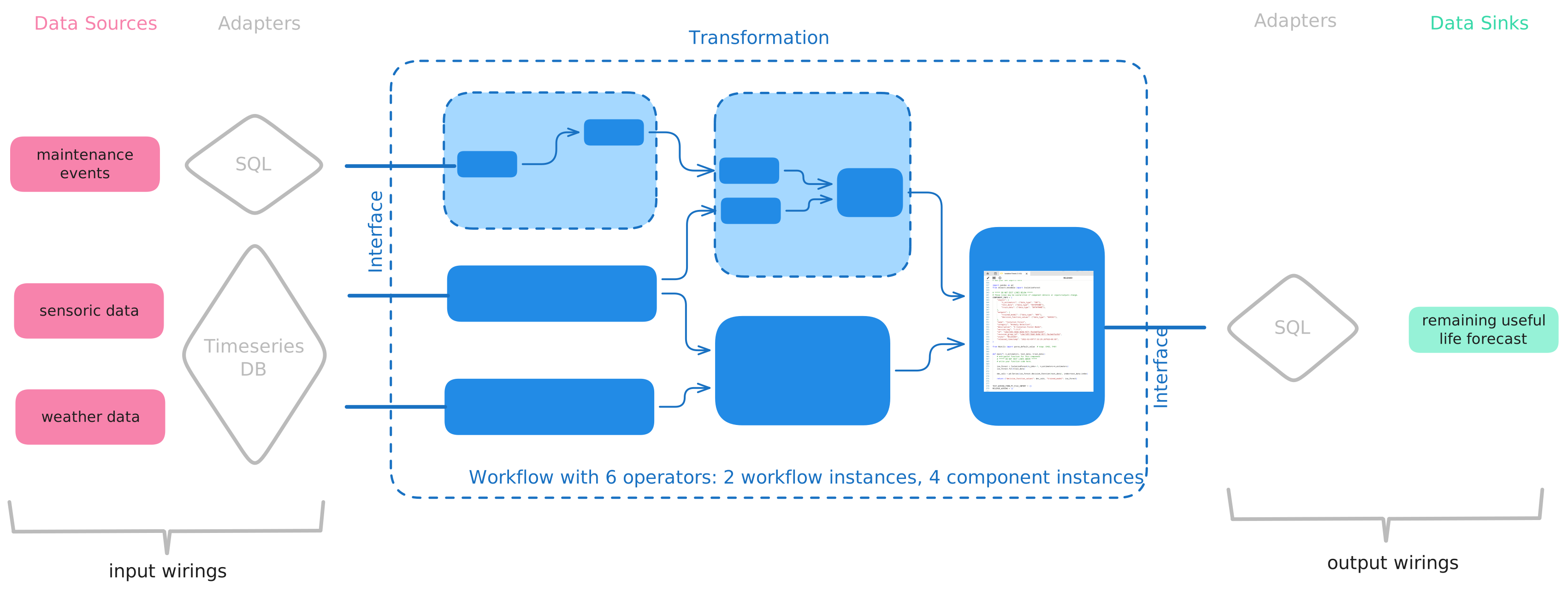
- Wiring: To run a workflow revision a wiring is necessary. A wiring maps data sources / data sinks via adapters to the inputs/outputs of the workflow revision IO config. It consists of input wirings and output wirings.
- Adapter: A small piece of software that provides access to data sources or data sinks in order to make them available for execution of workflow revisions. Typically, adapters connect to databases (SQL, NoSQL (e.g. timeseries databases)), blob storage, files, external APIs and more. The base installation comes with several builtin adapters. You can of course write your own adapter implementations.
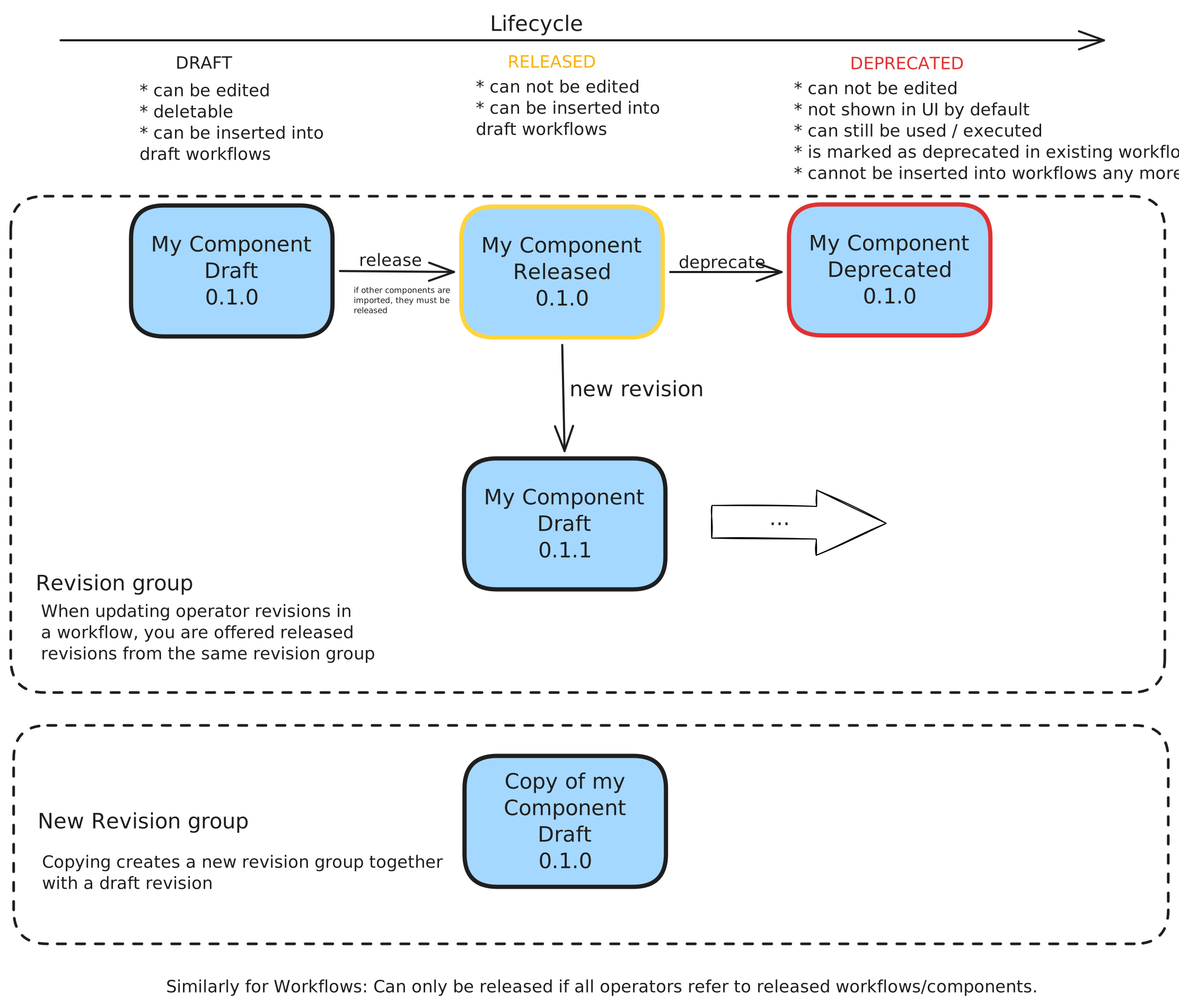
- Draft Mode / Released Mode: Workflow and component revisions can be in either of these modes. They are only editable in Draft Mode. Through Publishing they are switched to Release Mode. A workflow can only be released if all operators refer to released workflows/components. This guarantees trackable execution runs for released workflows/components. You can of course create a new revision to make further edits.
- Deprecate: Workflow and component revisions in Released mode cannot be deleted, but they can be deprecated. This means they still exist and workflow revisions containing operators belonging to them can still be executed. By default they are not visible in the sidebars anymore (you can make them visible through a checkbox). You cannot create new operators from them. Additionally, the user interface marks existing operators as deprecated and invites to update to another revision.
- Delete: Component and Workflow revisions in Draft Mode can be deleted fully.
- Documentation: To every workflow and component revision a markdown documentation can be written and used.
To explore these concepts in greater depth read basic concepts and versioning and lifecycle.
Diagrams
The following diagrams help to connect terms and concepts mentioned above.
Adapters and Wirings
Versioning and Lifecycle